Rackside
Progress reports
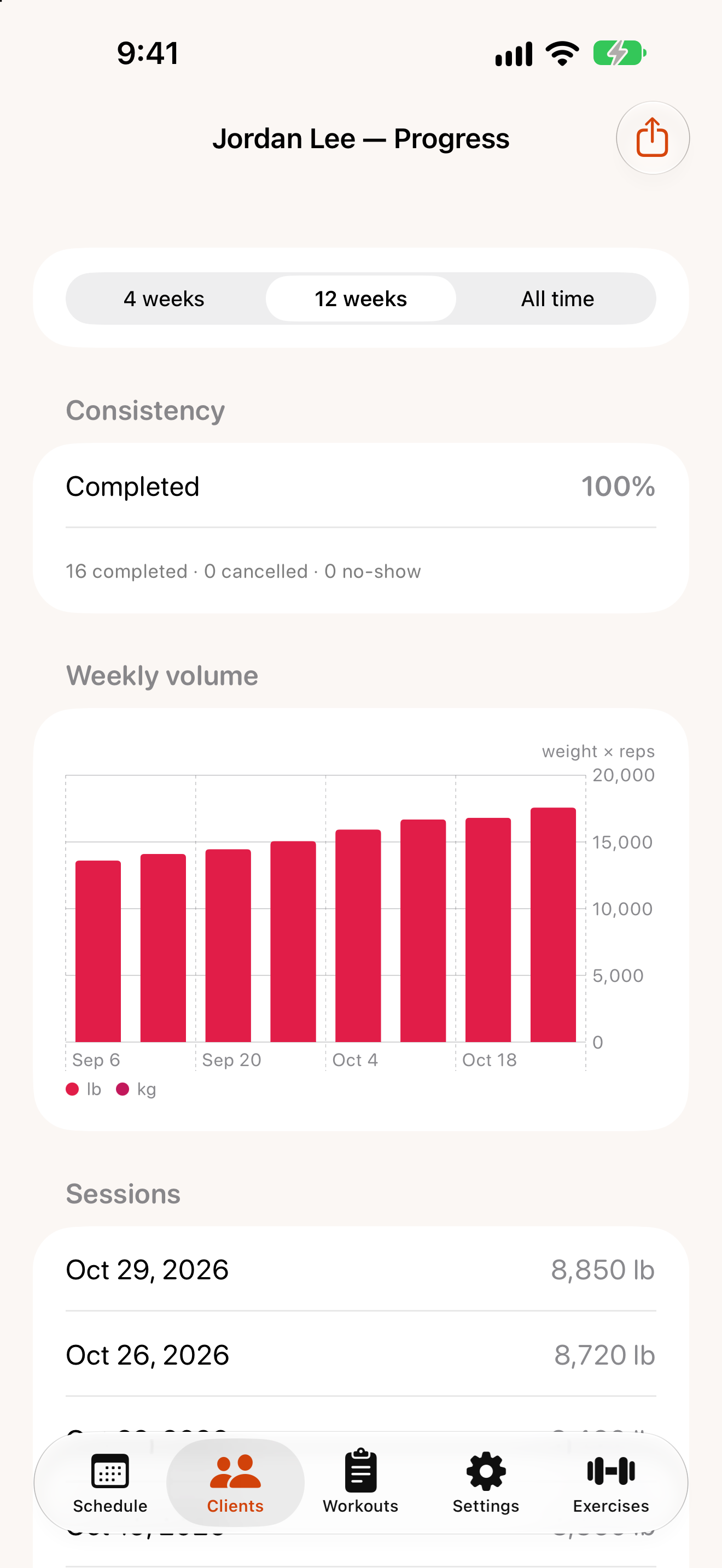
Open a client and tap View progress.
The report
Choose a Window at the top — 4 weeks, 12 weeks or all time.
- Consistency: the share of sessions completed, with counts of cancelled sessions and no-shows. Rackside also flags past sessions still marked as scheduled, so you can tidy them up.
- Weekly volume: total weight × reps per week.
- Sessions: each completed session and its volume.
- Top exercises: the client’s most-trained exercises. Tap one for its detail.
Exercise detail
For a single exercise you’ll see the client’s personal best, top-set weight over time, estimated 1RM (Epley), total reps, and the full history of sets.
“Not enough data yet”
Charts need history: progress charts appear after you’ve recorded sets in completed sessions, and an exercise chart needs at least two completed sessions with that exercise.
Share a report
Tap the share button (Share report) and choose Share PDF or Share PNG — send it to the client by Messages, Mail or anything on the share sheet.