Rackside
Health screening, assessments and waivers
Health screening
From a client’s page, tap New screening (or Latest screening to review the most recent one).
- Answer the screening questions — heart conditions, chest pain, dizziness, chronic conditions, medication, bone or joint problems, and whether the client should only exercise under supervision.
- Add any conditions, surgeries, medications, family history and lifestyle details (sleep, stress, tobacco, alcohol, activity level).
- Tap
Save.
Any YES answer means medical clearance is recommended before training. The client’s page and every session show a warning until you turn on Clearance received and record the date.
The screening is not a diagnosis, and Rackside does not give medical advice.
Assessments
From a client’s page, tap New assessment.
- Choose which sections to record: Measurements, Overhead Squat and Single Leg Squat.
- Measurements: vitals (resting heart rate, blood pressure), body (height, weight, waist, hip, body fat) and fitness (push-ups, plank time).
- Overhead Squat: for each view (anterior, lateral, posterior), tap the compensations you see. Use R and L to mark the right or left side.
- Single Leg Squat: tap the compensations for each leg.
- Add notes and tap
Save.
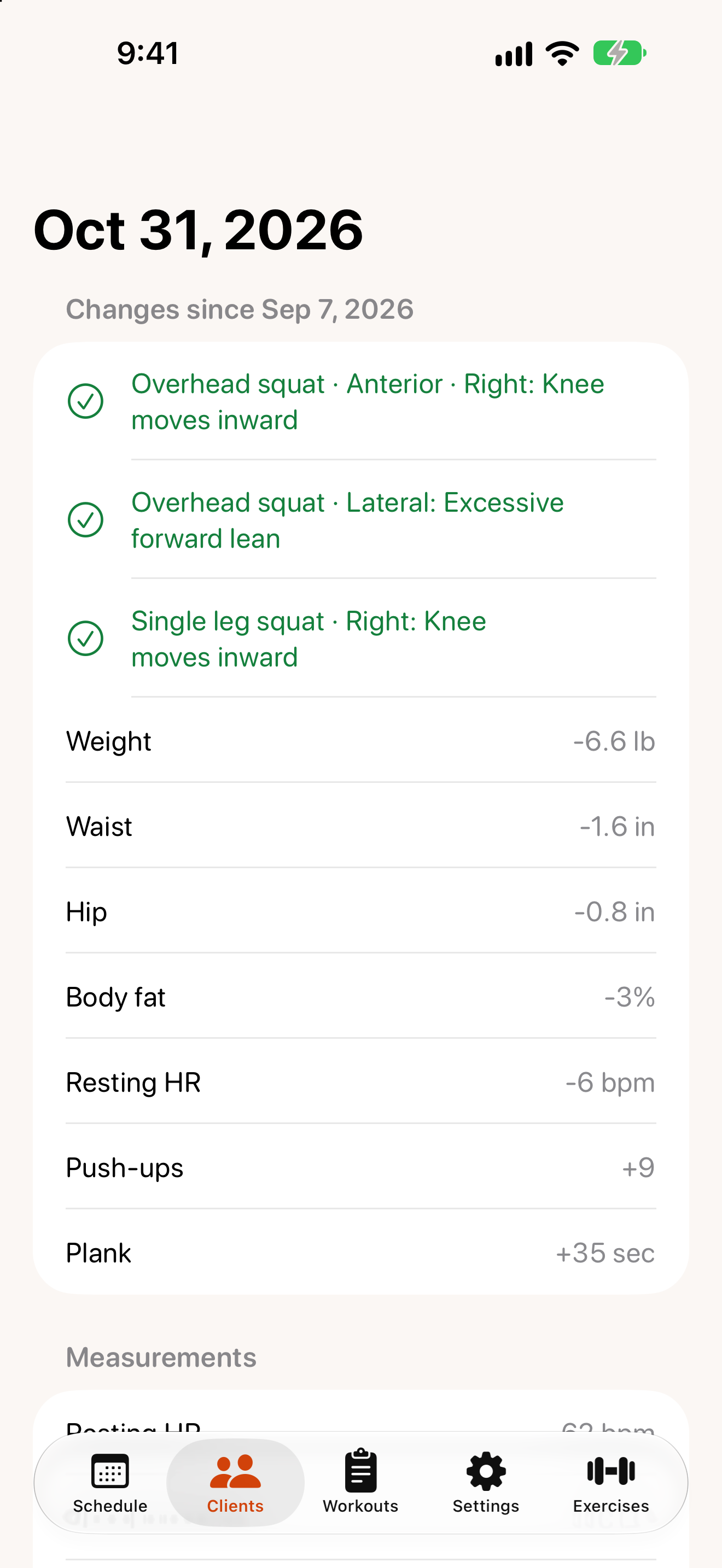
Open an assessment to see Changes since the previous one: compensations that went away are ticked, and every measurement shows its change.
Liability waiver
Send a waiver
- On the client’s page, in Waiver, tap
Send waiver…. - Rackside prepares the waiver as a PDF with the client’s name. Choose how to send it — Messages, Mail, AirDrop or anything else on the share sheet.
- The client signs it outside the app and returns it to you.
The waiver is only marked as sent if you actually share it.
Record the signed copy
When the client returns it, tap Mark signed & returned…, choose the date, and tap Save. Previous waivers are listed under History.
Edit the waiver template
Go to Settings › Liability waiver template.
- Lines in ALL CAPS become headings.
- Start a line with
!!to make it bold. - Lines starting with
#are hidden.
Tap Save to publish a new version; clients you’ve already sent a waiver to keep the version they received. Reset to starter text restores the original template.
The starter waiver is a template, not legal advice. Have it reviewed by your attorney or insurer before using it.