Rackside
Apple Watch
The Rackside Apple Watch app puts your rest timer on your wrist, so you can coach without picking up your phone.
Install
Rackside for Apple Watch installs with the iPhone app. If it’s not on your watch, open the Watch app on your iPhone, find Rackside and tap Install.
While a timer is running
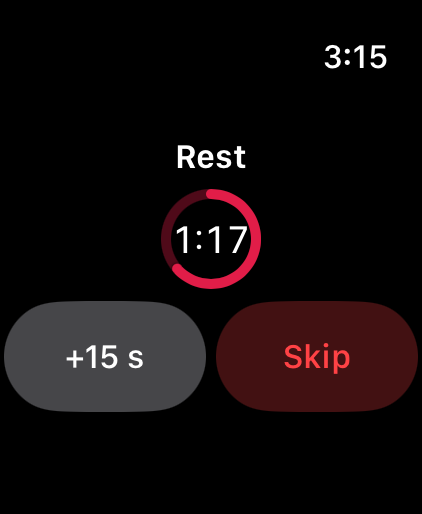
The watch shows the countdown ring. Tap +15 s to add time or Skip to end it. Your iPhone stays in sync, and your watch taps your wrist when the time is up.
Start a timer from the watch
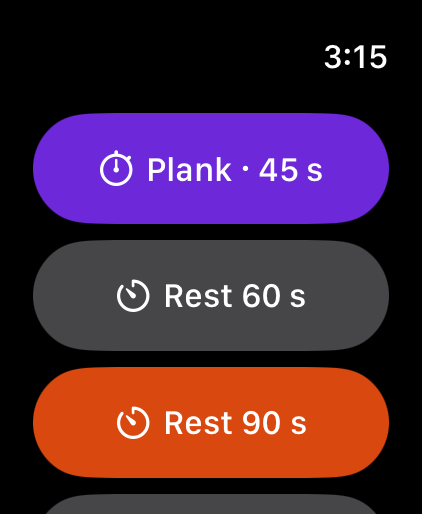
When nothing is running, the watch shows quick-start buttons:
- the next timed set in the session you have open on your iPhone (for example Plank · 45 s),
Restbuttons for 60, 90 and 120 seconds — your default rest is highlighted.
Good to know
- The watch gets its timer from your iPhone, so keep your iPhone nearby with Bluetooth on and Rackside open in a session.
- No client information is sent to the watch — only the timer and the next exercise’s name.